


 Secondary market
 You can sell at the outstanding principal value or offer a discount of up to 50%. You cannot set a price above the outstanding principal.
For example, if €100 of principal remains unpaid, you can set a price between €50 and €100. A 20% discount would mean a sale price of €80.
How do I apply a discount?
Set a selling price below your unpaid principal. Enter the price in euros, not the discount percentage. The screenshots below show a €10 investment listed for €5, which is a 50% discount. Click any screenshot to enlarge it.
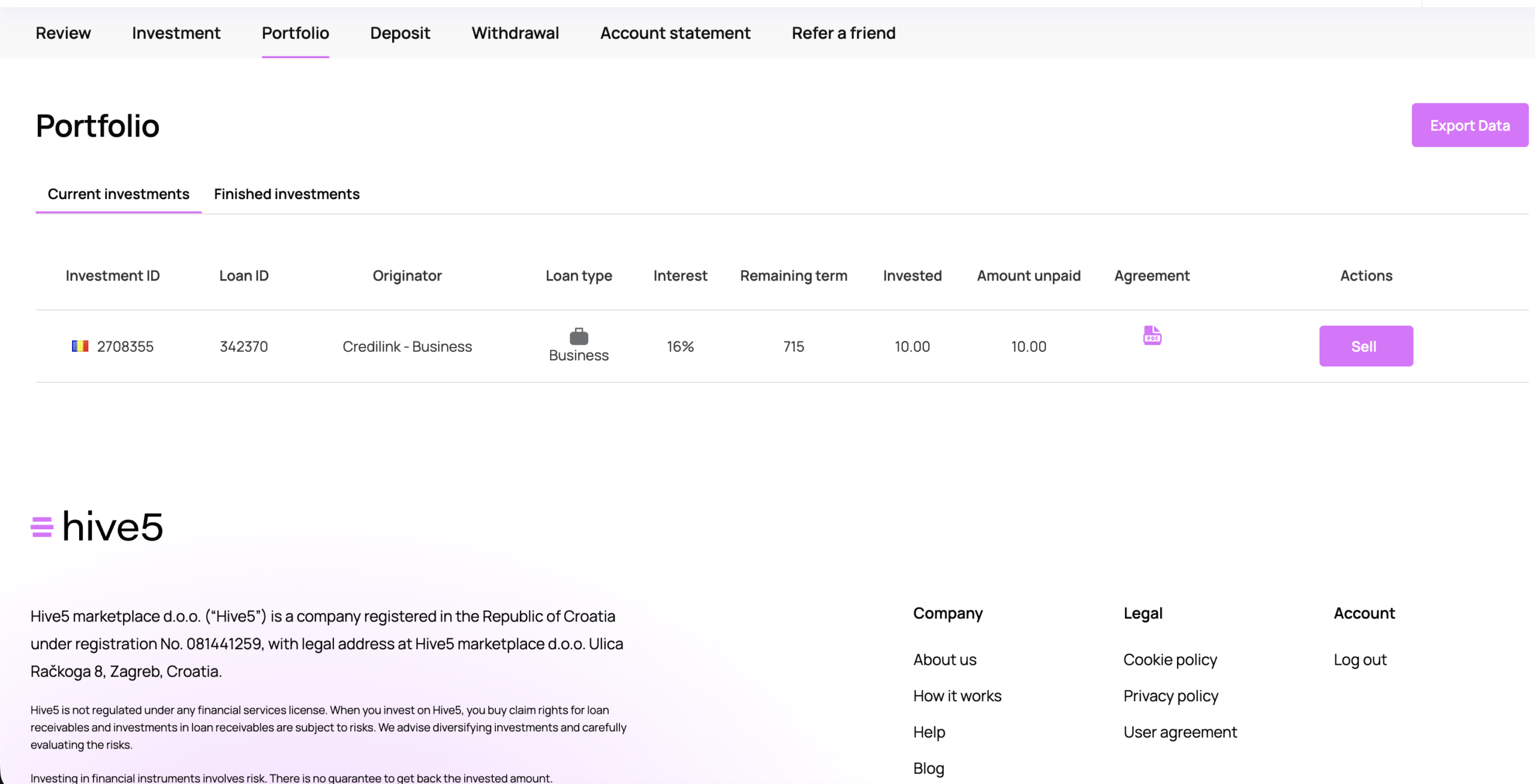
1. Choose an investment
Go to Portfolio → Current investments, find the investment you want to sell and click Sell.
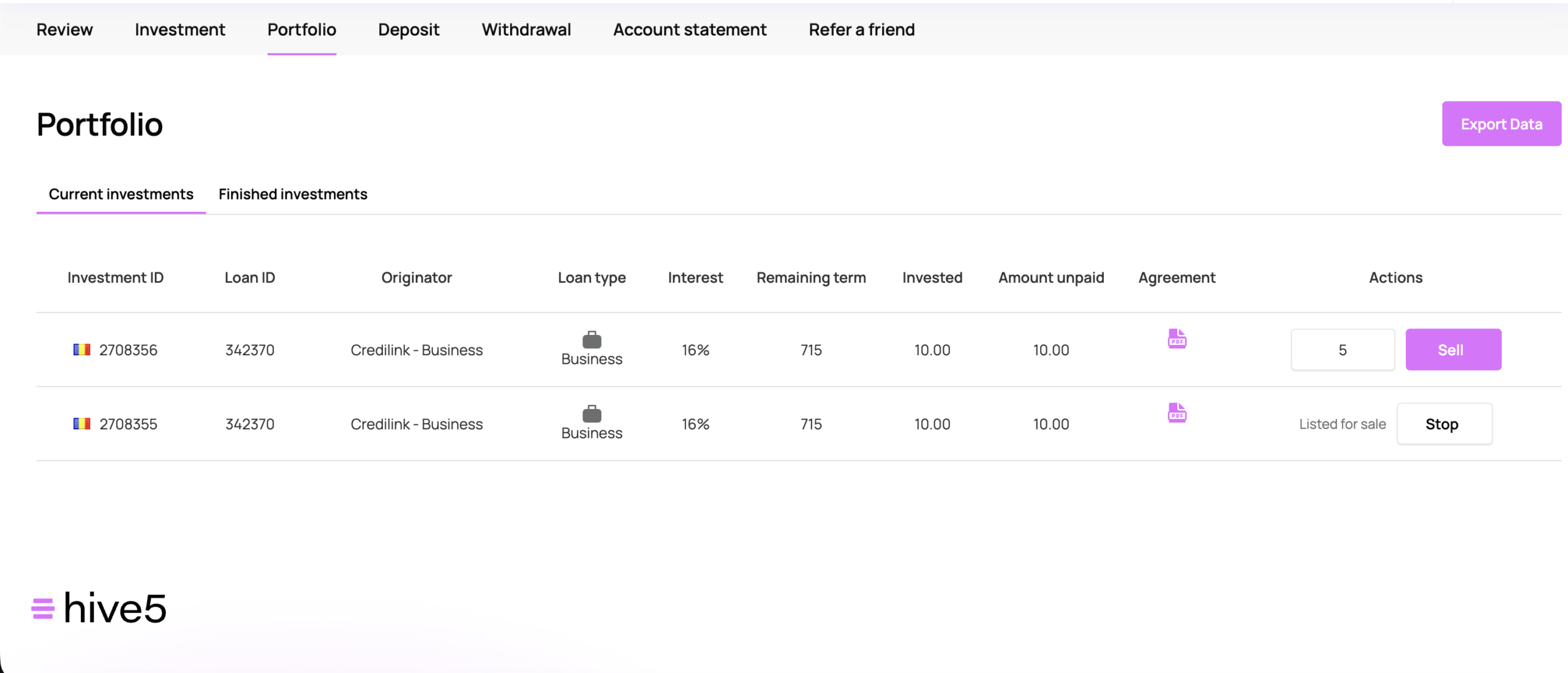
2. Enter your selling price
In the price field that appears, enter the amount in EUR you want to sell the investment for. In this example, enter 5 to list a €10 investment at a 50% discount. Then click Sell again.
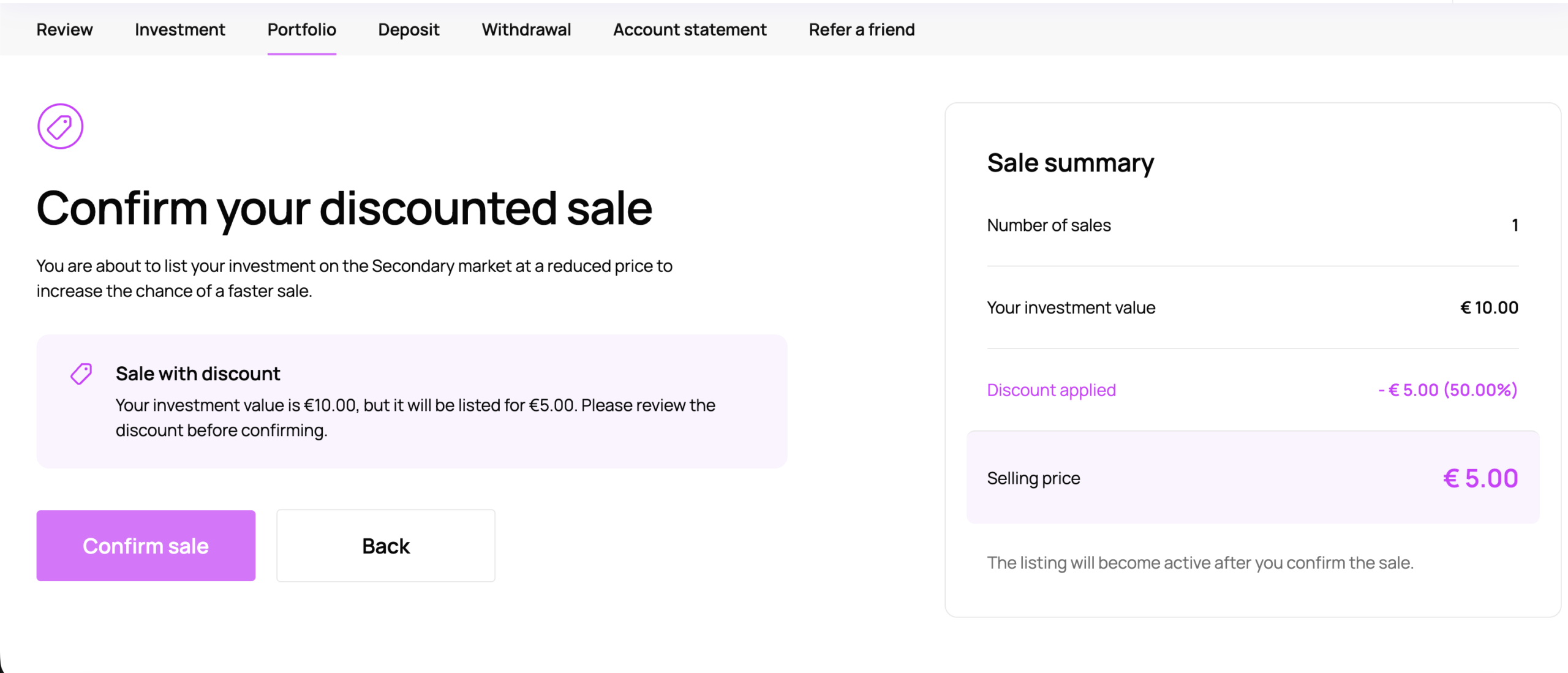
3. Review and confirm the discount
Check Your investment value, Discount applied and Selling price. If everything is correct, click Confirm sale. To change the price, click Back.
4. Check your listing confirmation
When you see Your investment was listed for sale, your listing is active. Click Done.
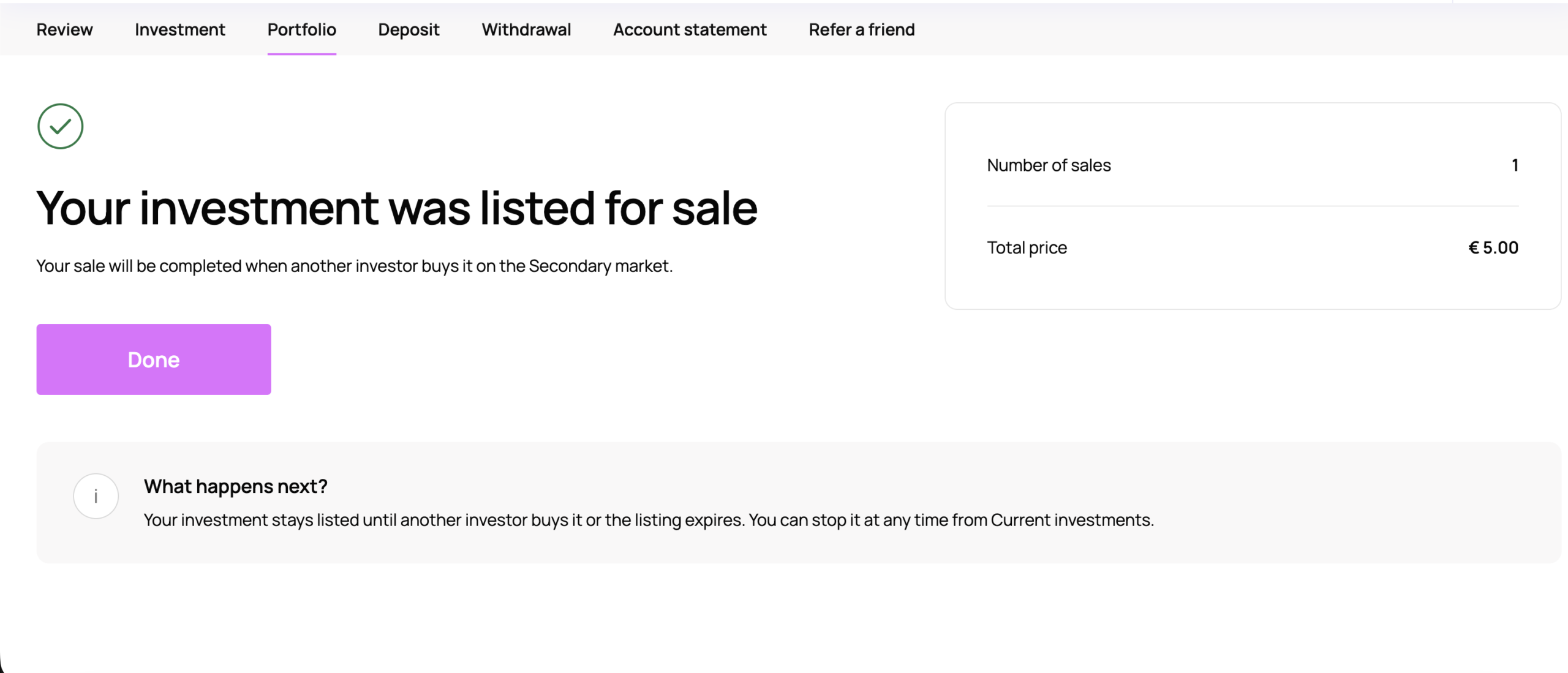
Your investment is sold only when another investor buys it. Offering a discount does not guarantee a sale. You can cancel an active listing from Current investments by clicking Stop.
